Hospitality & travel / POPRICA
Create a hotel breakfast notice
Combine the breakfast selection with its location, serving hours and eligibility. Adapt a Poprica breakfast template so guests know where to go, when to arrive and whether breakfast is included in their booking.
After sign-in, your selected template continues to the creation screen. Review the coin requirement and conditions before generating.
The template guides the visual direction. Poprica generates a new image from your photo and information; it does not simply replace text in the sample image. The result may differ from the reference.
Prepare the source information
- 01Photos of the breakfast actually served or its dining room.
- 02The venue name, opening time, last admission and closing time.
- 03Eligible packages, additional charges and any voucher or reservation requirement.
From brief to reviewed output
- 1
Separate the food choices from access conditions and confirm which guests they apply to.
- 2
Add the photo and hours to the breakfast reference, then include the venue and booking conditions.
- 3
Check the result against vouchers and room information for consistent times, prices and venue names.
What to learn from this reference
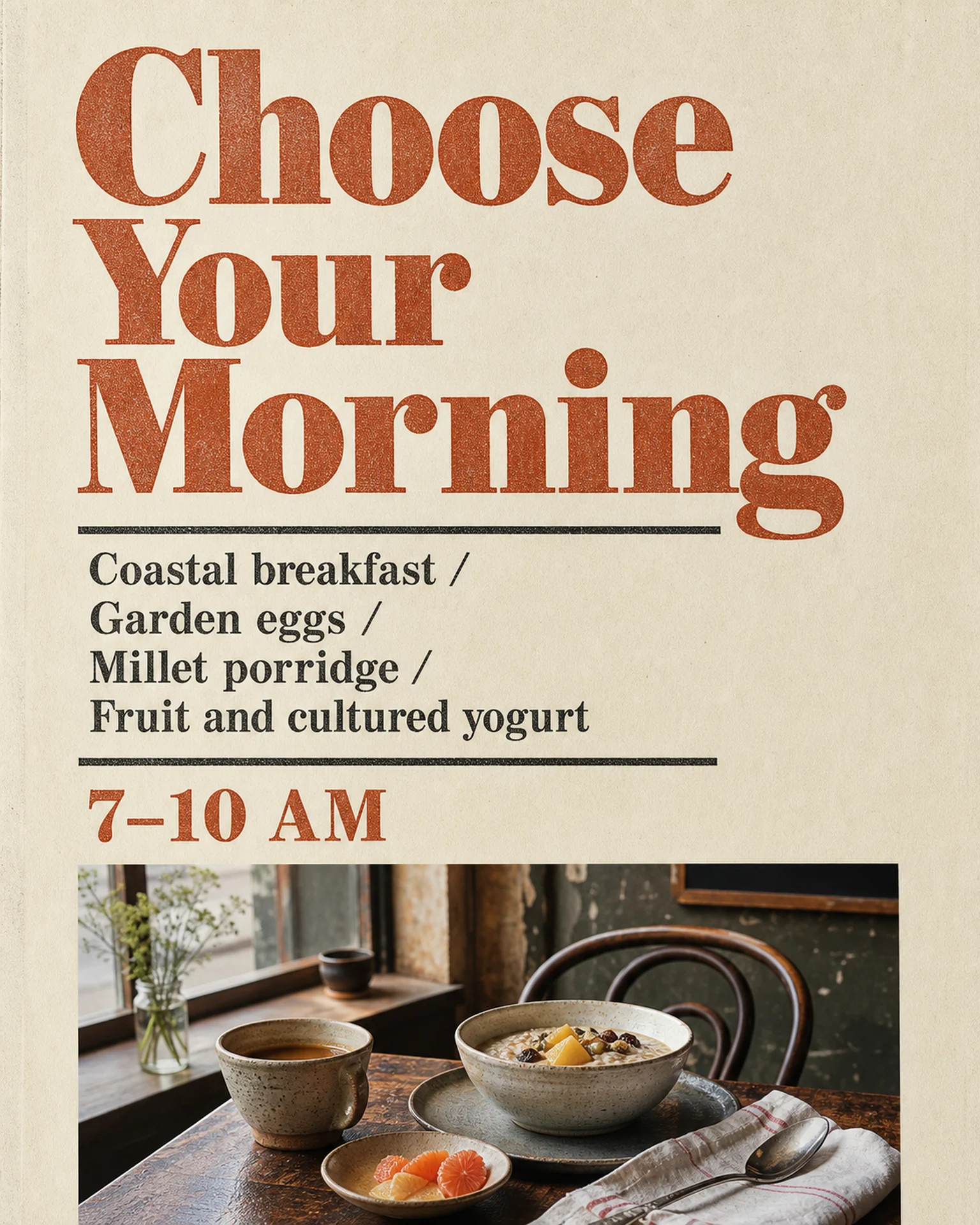
The English breakfast reference groups morning choices with a 7–10 AM serving window. Add your venue and eligibility; the sample does not establish those details for your property.
Browse templates for this use caseCheck before you publish
- Distinguish closing time from last admission.
- State whether pictured dishes are alternatives or part of one serving.
- Use verified ingredient information rather than inferring it from a photo.
Questions before you start
Can this describe either a buffet or a plated breakfast?
Yes, but specify the actual service format. Review whether the image and wording imply a choice or a fixed serving.
Should I list the last arrival time?
Include it if it differs from service closing time so guests can plan without guessing.
Related creation guides
Start with your own photo and approved facts.
Choose the reference, supply your photo and copy, and generate a new design for your specific task.
Poprica editorial team / Reviewed:
このガイドを日本語で読む