Hospitality & travel / POPRICA
Create a hotel room introduction card
Connect a real room photograph with its capacity, layout and facilities. Adapt a Poprica room template to give prospective guests a clear introduction to one room type.
After sign-in, your selected template continues to the creation screen. Review the coin requirement and conditions before generating.
The template guides the visual direction. Poprica generates a new image from your photo and information; it does not simply replace text in the sample image. The result may differ from the reference.
Prepare the source information
- 01Actual room photos and the official room name.
- 02Measured floor area, occupancy, bed configuration and verified amenities.
- 03If showing a rate: its per-room or per-person basis, stay length and applicable dates.
From brief to reviewed output
- 1
Check the room inventory against the selected photographs.
- 2
Replace the room reference and prioritize the room name and occupancy.
- 3
Compare the output with the source for invented windows, baths or furniture.
What to learn from this reference
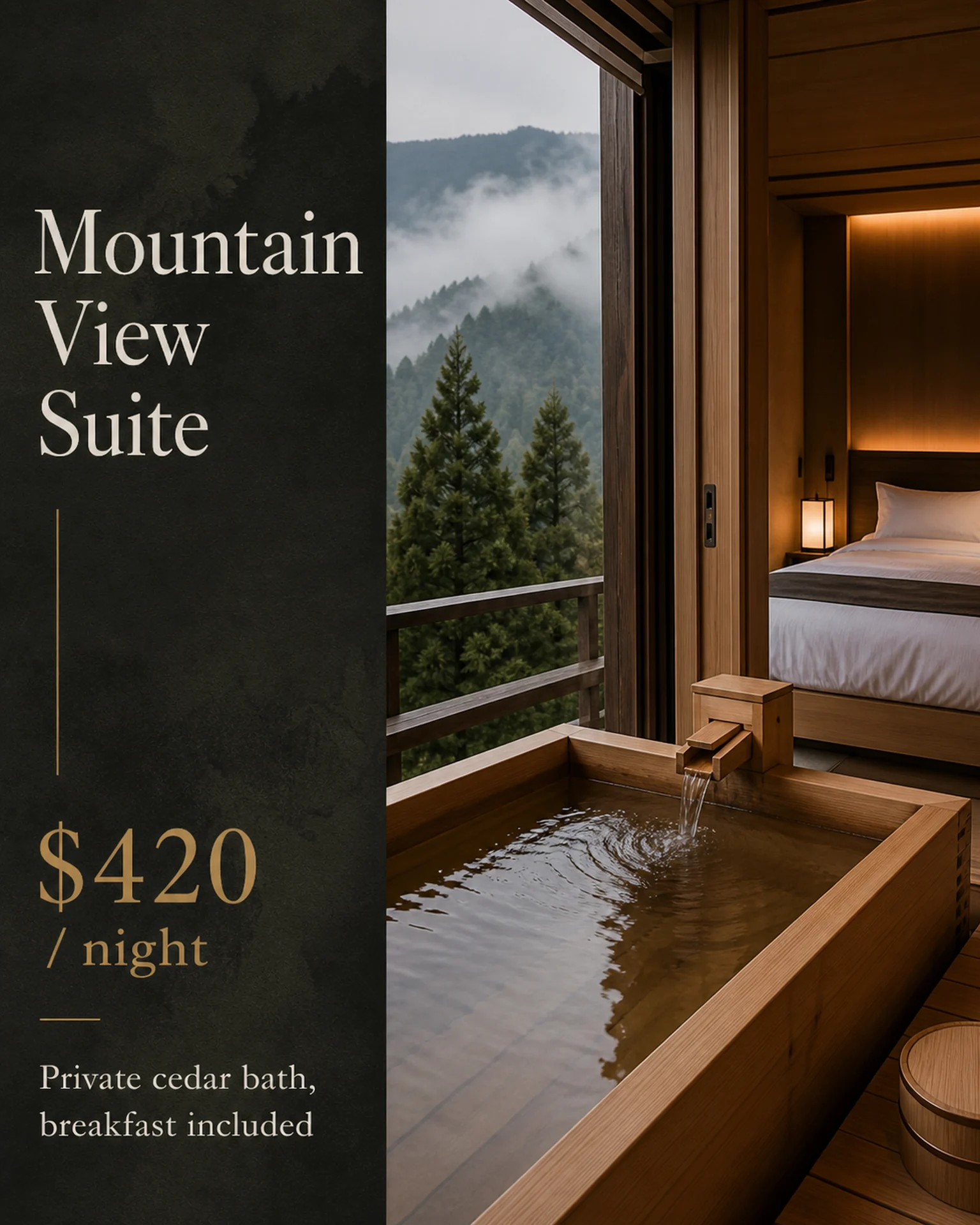
The mountain-room reference combines an interior with a rate basis. Its view and amenities are sample content to replace with your real room.
Browse templates for this use caseCheck before you publish
- Label shared amenities rather than implying private access.
- State the conditions of a “from” rate.
Questions before you start
Can I include common areas?
Yes, label them as shared spaces and keep them distinct from amenities inside the room.
Related creation guides
Start with your own photo and approved facts.
Choose the reference, supply your photo and copy, and generate a new design for your specific task.
Poprica editorial team / Reviewed:
このガイドを日本語で読む