Events / POPRICA
Create a market vendor card
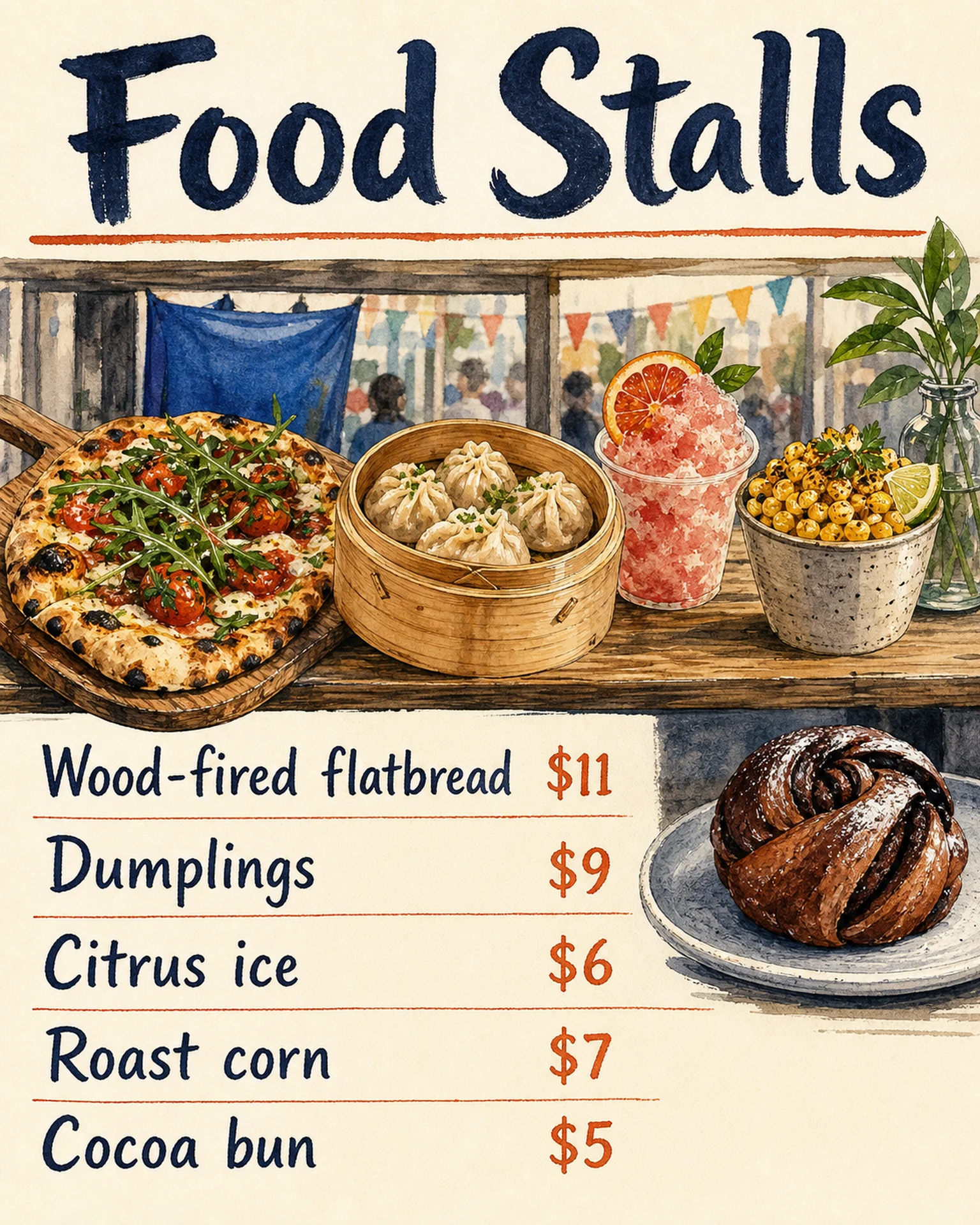
Introduce one vendor’s name, event-day products and stall location. Adapt Poprica’s food-stall reference using photographs and information approved by the vendor.
After sign-in, your selected template continues to the creation screen. Review the coin requirement and conditions before generating.
The template guides the visual direction. Poprica generates a new image from your photo and information; it does not simply replace text in the sample image. The result may differ from the reference.
Prepare the source information
- 01Product photographs cleared by the vendor.
- 02Vendor name, products available on the day and any displayed prices.
- 03Event date, stall number and venue information.
From brief to reviewed output
- 1
Separate the event-day range from the permanent shop’s full inventory.
- 2
Narrow the multi-stall reference to one vendor and its products.
- 3
Check the result with the vendor so the shop address is not confused with the market venue.
What to learn from this reference
The food-stall reference lists products and prices. Reuse its product presentation, not an implied verified vendor profile.
Browse templates for this use caseCheck before you publish
- Do not list unconfirmed exhibitors.
- Verify that pictured items will actually be available.
Questions before you start
What if the stall number is undecided?
Publish only the confirmed venue information and update the card when the position is assigned.
Related creation guides
Start with your own photo and approved facts.
Choose the reference, supply your photo and copy, and generate a new design for your specific task.
Poprica editorial team / Reviewed:
このガイドを日本語で読む