Events / POPRICA
Create an event timetable poster
Match each time with its program item in a readable single-venue schedule. Use Poprica’s event-day timeline reference, supply the confirmed running order and verify every time before sharing the poster.
After sign-in, your selected template continues to the creation screen. Review the coin requirement and conditions before generating.
The template guides the visual direction. Poprica generates a new image from your photo and information; it does not simply replace text in the sample image. The result may differ from the reference.
Prepare the source information
- 01An approved venue or event photograph.
- 02The confirmed sequence of start times, sessions and closing time.
- 03Check-in, breaks, venue identification and the process for announcing changes.
From brief to reviewed output
- 1
Sort the running order and include check-in, breaks and closing as explicit entries.
- 2
Adapt the vertical timeline with enough space between each time and its corresponding activity.
- 3
Compare every entry against the organizer’s schedule and check that no time appears attached to its neighboring item.
What to learn from this reference
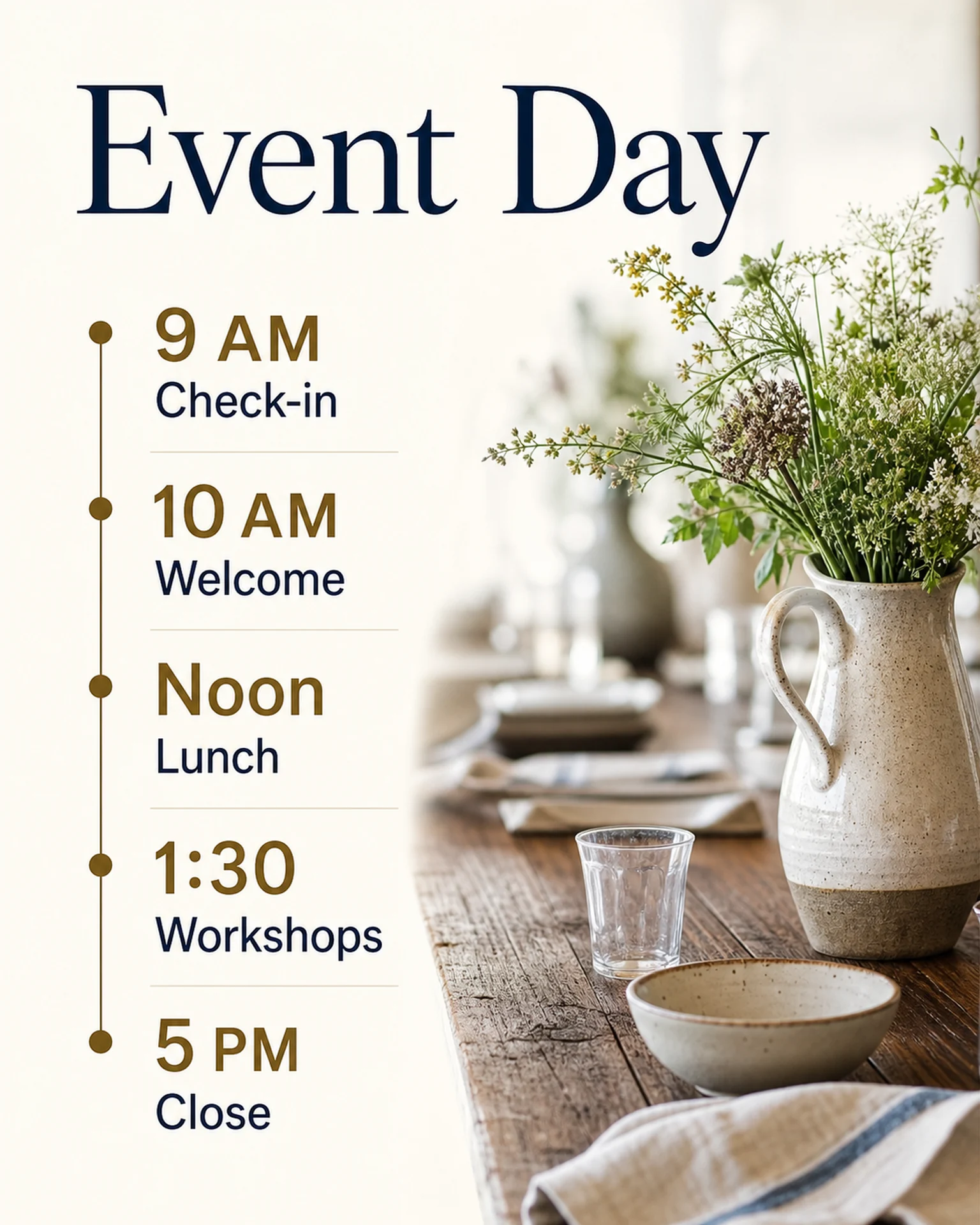
The event-day reference shows five stages from check-in to close in a vertical sequence. It supports a simple timeline reference, not a claim of automatic complex timetable layout.
Browse templates for this use caseCheck before you publish
- Keep check-in distinct from the event start.
- Use a consistent time format and clarify any date change.
- Split complex parallel tracks into separate venue schedules instead of compressing everything into one image.
Questions before you start
Can I show simultaneous sessions?
Consider a separate image per venue or track, and review all time-to-session relationships in the actual output.
Will a schedule change update the poster?
No. The result is static. Generate or edit a revised notice and replace outdated versions when the running order changes.
Related creation guides
Start with your own photo and approved facts.
Choose the reference, supply your photo and copy, and generate a new design for your specific task.
Poprica editorial team / Reviewed:
このガイドを日本語で読む