Restaurants / POPRICA
Create a restaurant course-menu notice
Separate the dining experience from its booking conditions. Use real food photographs and confirmed copy in Poprica to explain what the course includes, the per-person price and when guests need to reserve.
After sign-in, your selected template continues to the creation screen. Review the coin requirement and conditions before generating.
The template guides the visual direction. Poprica generates a new image from your photo and information; it does not simply replace text in the sample image. The result may differ from the reference.
Prepare the source information
- 01Actual dish photos labelled as the full course or selected examples.
- 02The course sequence, price basis and drinks policy.
- 03Confirmed dates, minimum party size and reservation deadline.
From brief to reviewed output
- 1
Approve the included courses and the unit used for pricing.
- 2
Generate a focused composition with the course name and food, keeping booking conditions distinct.
- 3
Review it as a new guest to check the total price basis and reservation deadline.
What to learn from this reference
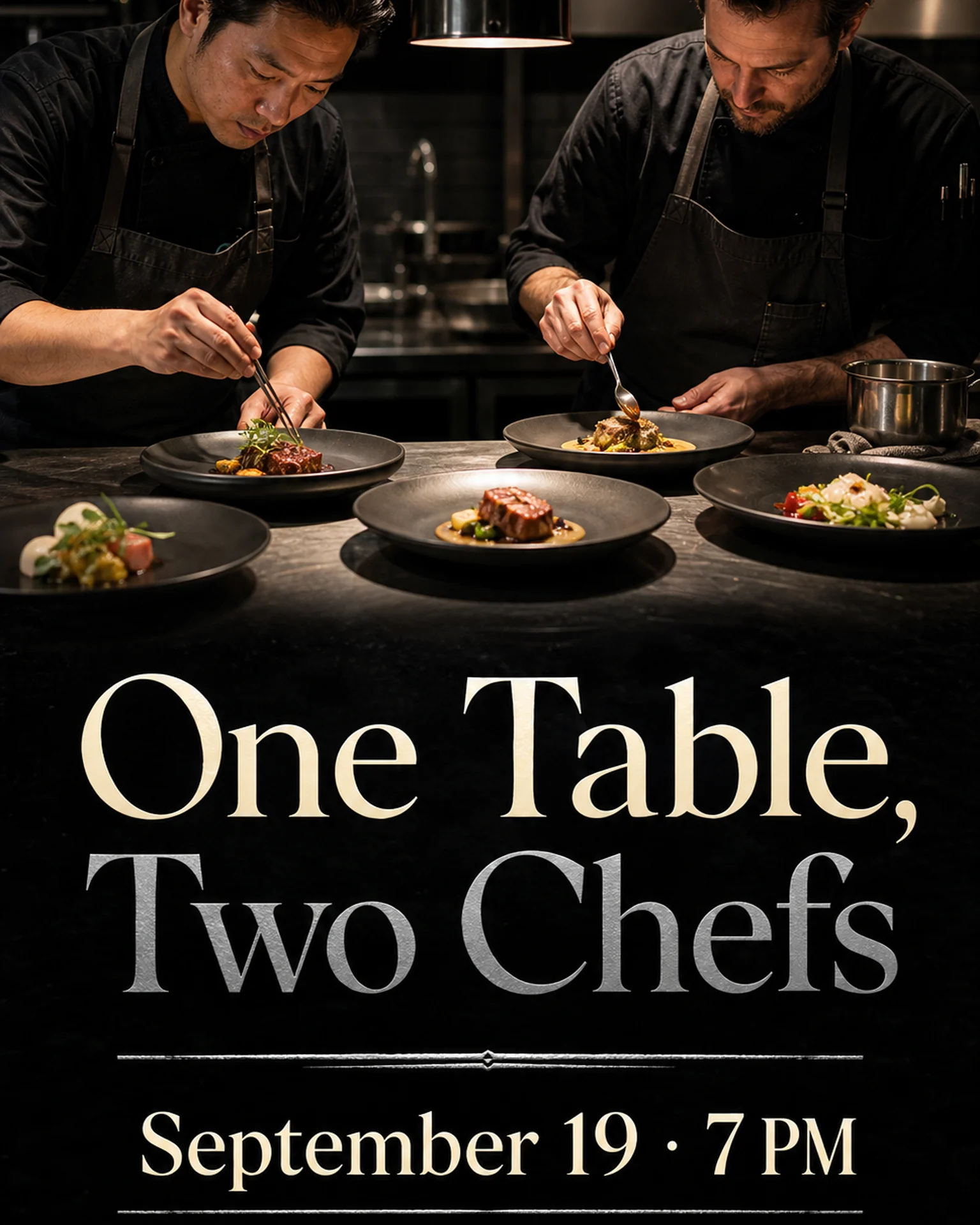
The English reference announces a special dinner using two chefs plating dishes. It is an event-design reference, not documentation of your course; supply your own menu and booking conditions.
Browse templates for this use caseCheck before you publish
- Do not imply selected photographs show every course.
- Keep per-person and per-party prices distinct.
- Do not add unverified drinks packages or booking policies.
Questions before you start
What if dishes change seasonally?
Explain the actual substitution policy so the photographs do not promise a fixed menu.
Does it take reservations?
It creates a notice image. Direct guests to your existing reservation channel.
Related creation guides
Start with your own photo and approved facts.
Choose the reference, supply your photo and copy, and generate a new design for your specific task.
Poprica editorial team / Reviewed:
このガイドを日本語で読む