Restaurants / POPRICA
Create a new-menu social image
Introduce one new menu item with a real food photo, launch date and a short message readable on a phone. Generate the static image in Poprica, then review product details before publishing.
After sign-in, your selected template continues to the creation screen. Review the coin requirement and conditions before generating.
The template guides the visual direction. Poprica generates a new image from your photo and information; it does not simply replace text in the sample image. The result may differ from the reference.
Prepare the source information
- 01A photo showing the item as served.
- 02The approved name, price, launch date and service conditions.
- 03One distinguishing feature to lead the announcement.
From brief to reviewed output
- 1
Keep this image focused on the launch rather than the full menu.
- 2
Choose the social purpose and generate with a short headline, photograph and essential price and date.
- 3
Inspect at phone size and prepare the remaining details in the post caption.
What to learn from this reference
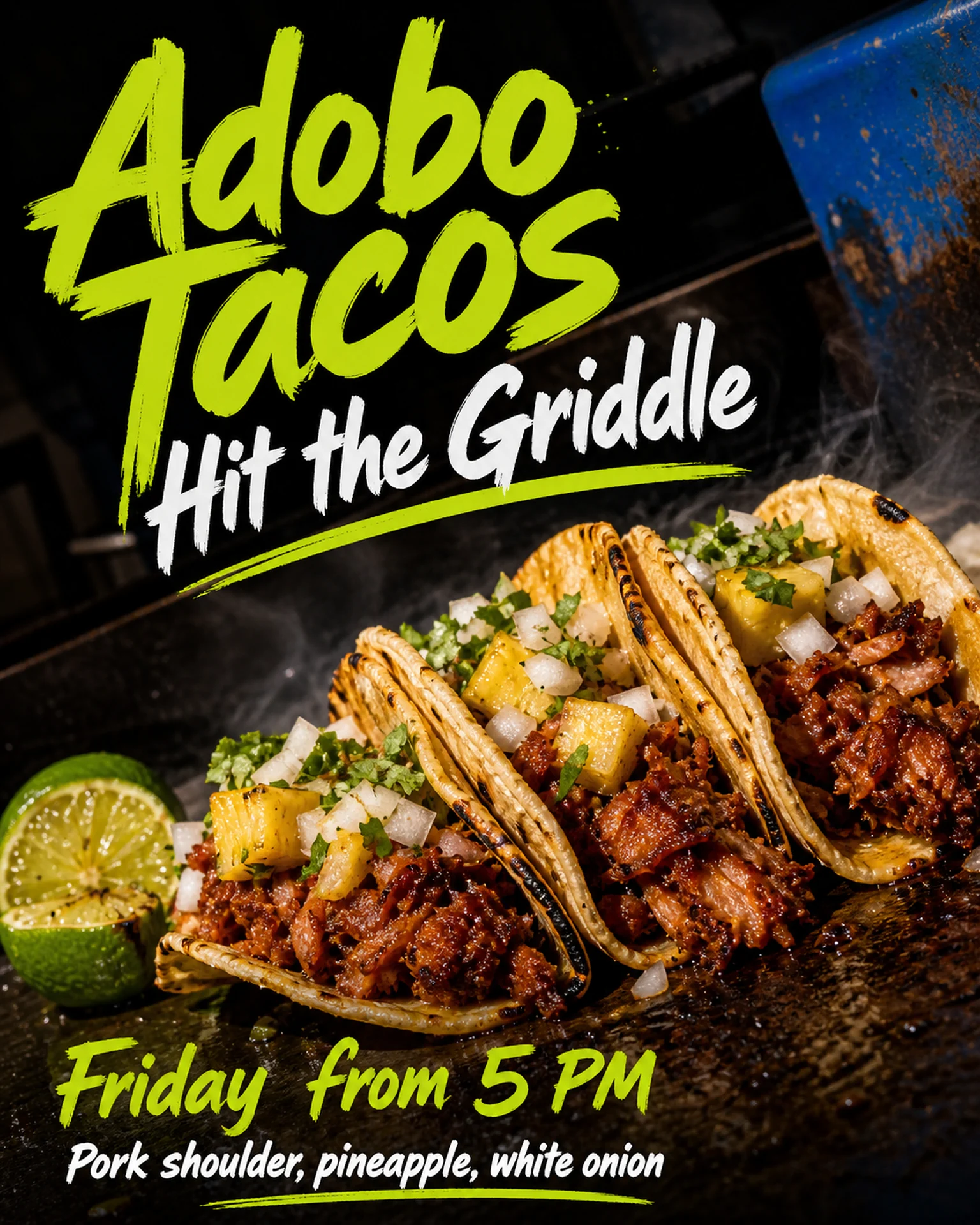
The taco reference combines a food close-up with a prominent service-start message. Replace the sample dish and timing with your own launch information.
Browse templates for this use caseCheck before you publish
- Check that any crop preserves the price and launch date.
- Do not confuse new and existing item photographs.
- Confirm image permissions and the destination platform’s format requirements.
Questions before you start
Does it schedule the post?
This guide covers creating an image. Publish or schedule through your social platform.
Should every detail be inside the image?
Retain essential offer conditions and use the caption for longer explanations where appropriate.
Related creation guides
Start with your own photo and approved facts.
Choose the reference, supply your photo and copy, and generate a new design for your specific task.
Poprica editorial team / Reviewed:
このガイドを日本語で読む