Restaurants / POPRICA
Create an add-on dish table card
Focus a table card on one extra dish guests can consider during their meal. Generate a short promotion in Poprica using the real serving photo, name, price and ordering conditions.
After sign-in, your selected template continues to the creation screen. Review the coin requirement and conditions before generating.
The template guides the visual direction. Poprica generates a new image from your photo and information; it does not simply replace text in the sample image. The result may differ from the reference.
Prepare the source information
- 01A photo of the side dish as served.
- 02The dish name, serving quantity and price.
- 03Actual ordering hours or eligibility conditions.
From brief to reviewed output
- 1
Choose one recommendation and remove unrelated menu entries.
- 2
Generate around its photograph, name and price, adding necessary ordering conditions.
- 3
Check from a seated viewing distance and within the visible area of the holder.
What to learn from this reference
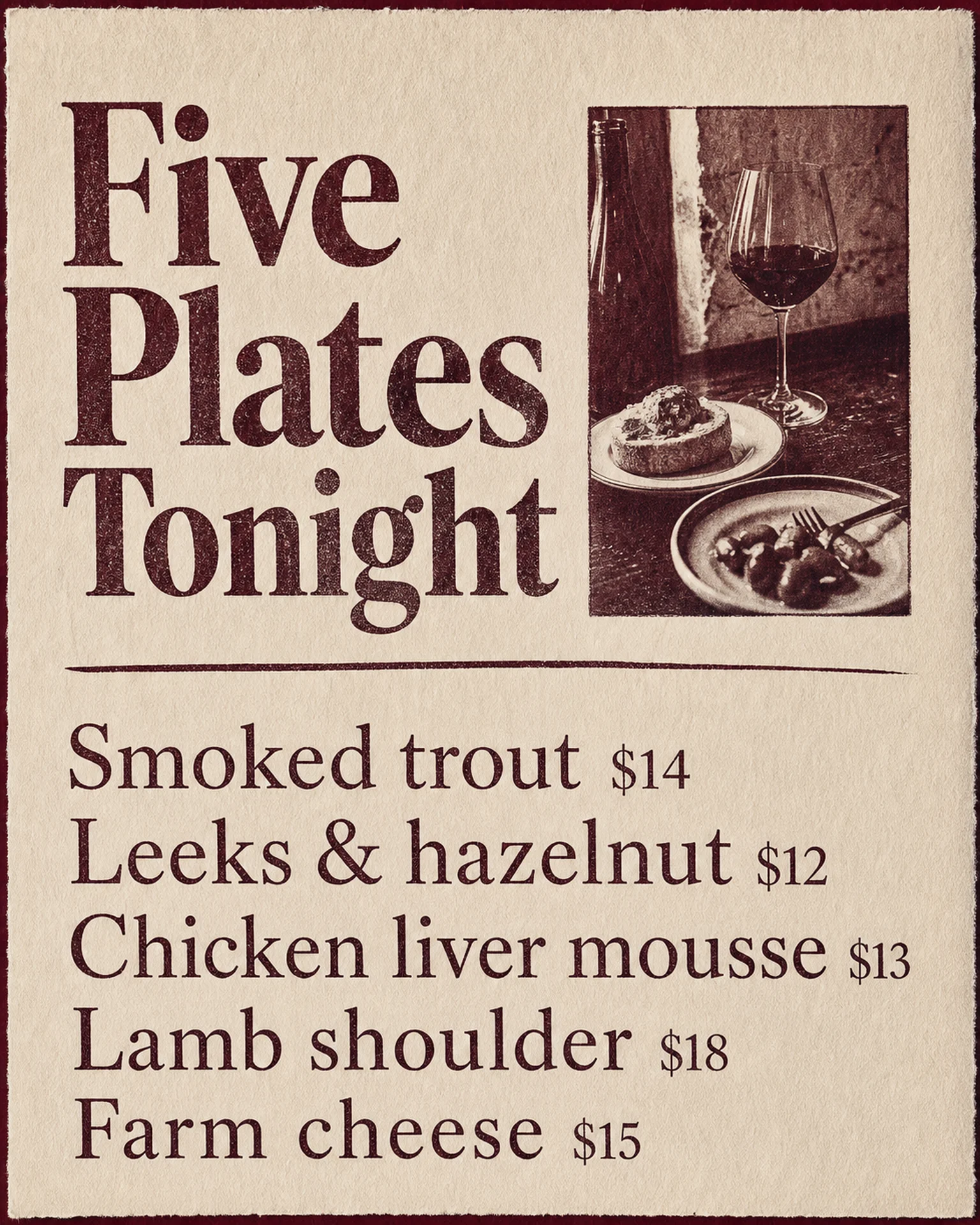
The reference lists several small plates alongside wine imagery. For a single-dish card, reduce the list and replace the sample with your actual dish and price.
Browse templates for this use caseCheck before you publish
- Distinguish an individual portion from a sharing plate.
- Clarify when a drink in the scene is sold separately.
- Avoid unsupported popularity or scarcity claims.
Questions before you start
Can I include two dishes?
Use separate, legible prices when comparison is useful; do not turn a small table card into a compressed full menu.
Is this a folded table-tent file?
This workflow creates an image. Check holder dimensions and any print-finishing requirements separately.
Related creation guides
Start with your own photo and approved facts.
Choose the reference, supply your photo and copy, and generate a new design for your specific task.
Poprica editorial team / Reviewed:
このガイドを日本語で読む